
Manual version: 1.1.
Date of issue: 11 July 2026
⚠️ Medical Device – Class I (MDR 2017/745)
ℹ️ CE-marked software medical device
ℹ️ For informational purposes only – NOT a diagnostic tool
Please read, understand, and follow all safety information contained in these instructions prior to using the Skinive App. Retain these instructions for future reference.
This document is a user manual for Skinive App, a medical device software developed by Skinive LTD and registered in Malta.
1. GENERAL INFORMATION
Intended Use
Skinive App is a Software as a Medical Device (SaMD) classified as Class I under Regulation (EU) 2017/745 (MDR).
The application is intended to be used by adults (18 years and older) for the documentation and monitoring of visible skin lesions and skin conditions using photographs captured with a compatible smartphone.
The application analyses smartphone images using artificial intelligence algorithms to identify visual patterns consistent with supported skin conditions and provides informational support to promote skin health awareness and encourage timely consultation with a qualified healthcare professional when appropriate.
The application provides informational support for the documentation and monitoring of visible skin lesions. It does not provide a medical diagnosis, treatment recommendation, prognosis, or clinical decision.
Images analysed by the application may include skin lesions from individuals of different ages. However, the application is intended to be operated only by adults (18 years and older).
Intended Users
Skinive App is intended for use by both lay users (adults aged 18 years and older) and healthcare professionals, including dermatologists, primary care physicians, nurses, cosmetologists, and other qualified healthcare practitioners.
Healthcare professionals should interpret the application output using their professional judgement. Lay users should always consult a qualified healthcare professional regarding any medical concerns or before making healthcare decisions based on the application output.
Additional non-medical wellness features
Skinive App includes optional wellness features related to ultraviolet (UV) exposure awareness, including UV Index information, UV exposure estimates, skin phototype selection, Vitamin D exposure estimation, and other educational tools intended to support healthy sun exposure habits. These features are provided for informational purposes only and do not constitute medical advice, diagnosis, treatment, or clinical decision support.
1.2 Important Notes on Use
⚠️ WARNING: Skinive App provides informational results intended to support the documentation and monitoring of visible skin lesions. The application does not provide a medical diagnosis, treatment recommendation, prognosis, or clinical decision and should not be used as the sole basis for medical decision-making.
⚠️ WARNING: The application does not replace examination by a qualified healthcare professional. Always seek professional medical advice regarding any suspicious, rapidly changing, painful, bleeding, ulcerated, or otherwise concerning skin lesion.
⚠️ WARNING: The accuracy of the analysis depends on image quality, lighting conditions, visibility of the skin lesion, camera performance, and other environmental or technical factors. The application may produce false-positive, false-negative, or inconclusive results.
⚠️ WARNING: Do not use the application in emergency situations or where immediate medical attention is required.
⚠️ WARNING: UV exposure estimates, Vitamin D exposure estimates, and other wellness features are provided for informational purposes only. Individual responses to ultraviolet radiation vary and may be influenced by factors not considered by the application. These features must not be used as a substitute for professional medical advice.
PRECAUTION: Follow the image acquisition instructions provided within the application to improve image quality and optimise analysis performance.
PRECAUTION: If the analysis result appears inconsistent with your observations, or if the skin lesion changes over time, repeat the assessment using a new image or consult a qualified healthcare professional.
RECOMMENDATION: Store assessment results within the application to facilitate long-term documentation and monitoring of changes in skin appearance.
1.3 Contraindications
Skinive App should not be used under the following conditions:
- The skin lesion is located on mucous membranes or in areas that cannot be adequately photographed using a standard smartphone camera.
- The skin lesion is completely covered by dressings, cosmetics, creams, hair, dirt, or other materials that prevent adequate visualisation.
- The skin lesion has been recently subjected to a medical procedure (e.g. biopsy, excision, laser treatment, or other surgical intervention) that significantly alters its visual appearance.
- The captured image does not clearly show the skin lesion or is of insufficient quality for analysis.
If any of the above conditions apply, the application may not be able to perform an analysis or may produce unreliable informational results.
2. PRIVACY, SECURITY & REGULATORY COMPLIANCE
2.1 Compliance with MDR & GDPR
Skinive App is a Software as a Medical Device (SaMD) classified as Class I under Regulation (EU) 2017/745 (MDR).
The application is designed and maintained in accordance with applicable European Union legislation for medical devices and personal data protection.
Personal data are processed in accordance with Regulation (EU) 2016/679 (General Data Protection Regulation – GDPR).
The manufacturer is registered in EUDAMED under Single Registration Number (SRN): APP000069201.
2.2 Privacy and Data Protection
Your data is securely stored and encrypted
Skinive App processes personal data in accordance with Regulation (EU) 2016/679 (General Data Protection Regulation – GDPR).
Information regarding the processing of personal data and users’ rights is provided in accordance with Articles 13–15 of the GDPR.
Appropriate technical and organisational measures are implemented to protect personal data against unauthorised access, alteration, disclosure, or loss.
⚠️ WARNING: Do not share your account credentials with other persons. You are responsible for maintaining the confidentiality of your login information.
User data are stored while the account remains active.
If no account activity is detected for 12 consecutive months, the user will receive a notification requesting confirmation that the account should remain active. If no confirmation is received within 30 days, the associated account data may be permanently deleted and cannot be recovered.
Users may permanently delete their account at any time using the Delete Account function available within the application settings. Deletion of the account permanently removes the associated personal data and cannot be reversed.
Where supported by the operating system, users may manage application permissions, including access to device sensors and privacy-related settings, using the security and privacy controls provided by their mobile device.
For detailed information regarding the processing of personal data, please refer to the Privacy Policy available at www.skinive.pro.
3. DEVICE COMPATIBILITY & SYSTEM REQUIREMENTS
Compatible with smartphones with internet connection:
- Android 6+ (API level 23 and above)
- iOS 12+
Minimum camera requirements:
- Optical stabilisation & autofocus support
Potential Compatibility Issues:
- Older devices with outdated operating systems may experience performance issues.
- For best performance, use a smartphone manufactured within the last five years.
The useful life of the application is determined by the software update cycle, with a minimum support period of two years from the date of installation.
4. INSTRUCTIONS FOR USE
4.1 Installation and Setup
- Download and Install:
- The Skinive app can be downloaded from the Google Play Store or the Apple App Store.
- Ensure your device meets the system requirements.
2. Registration/Login:
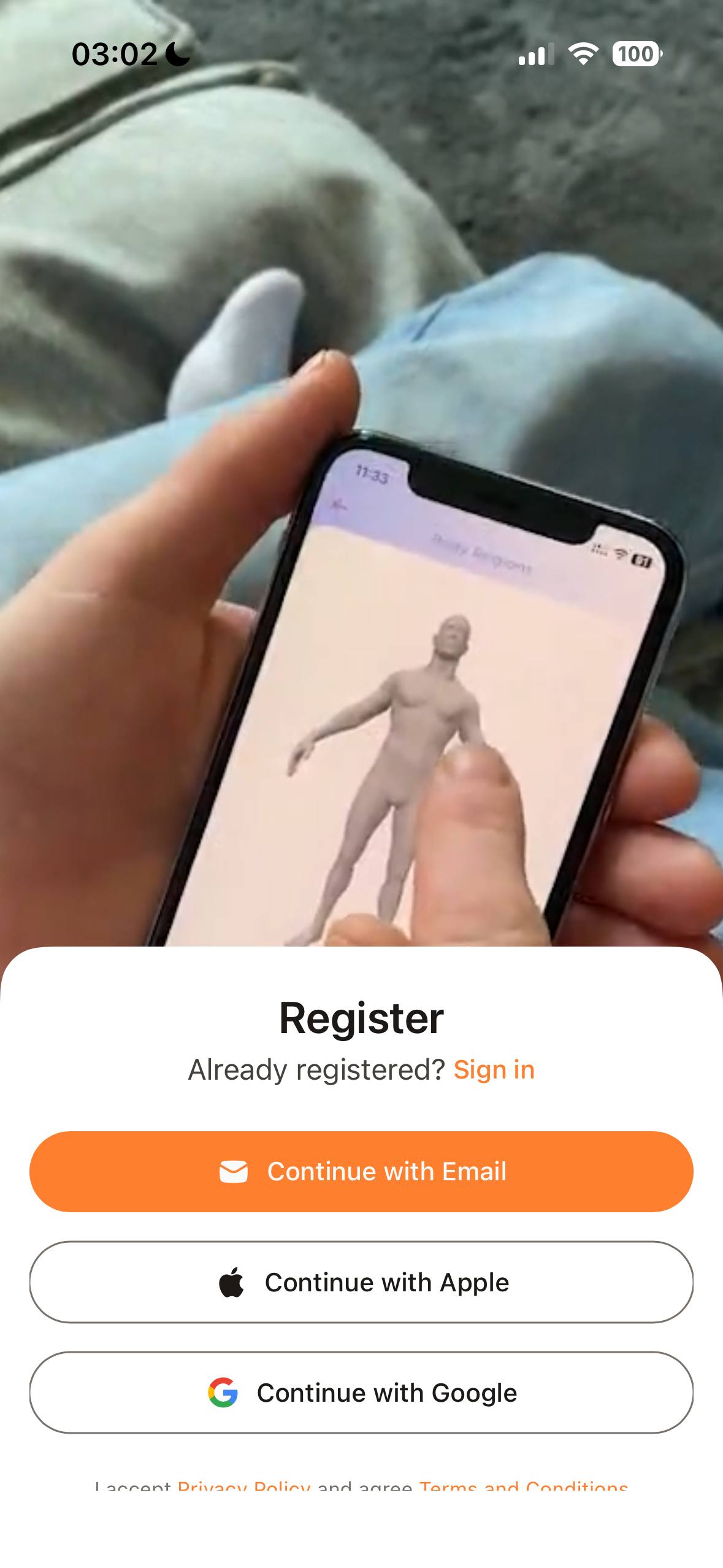
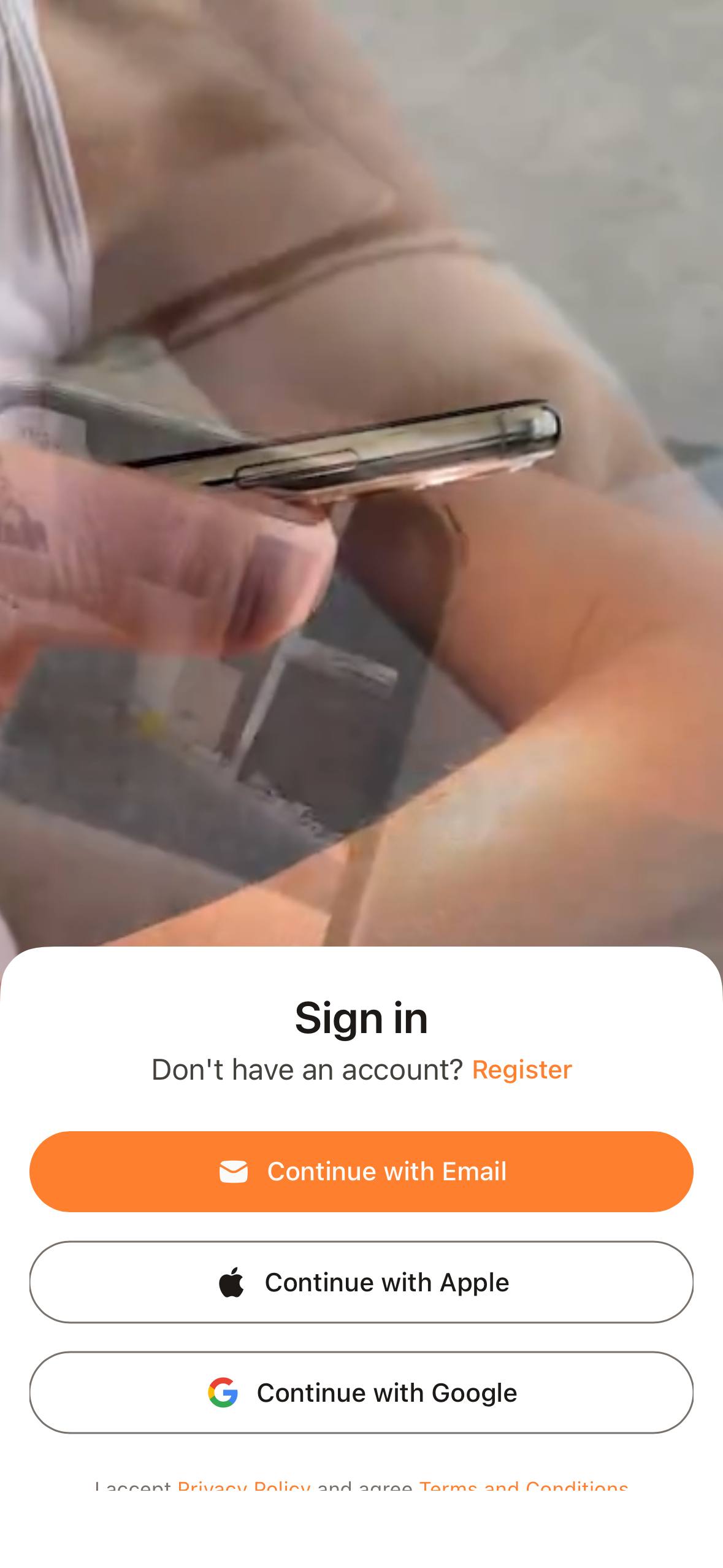
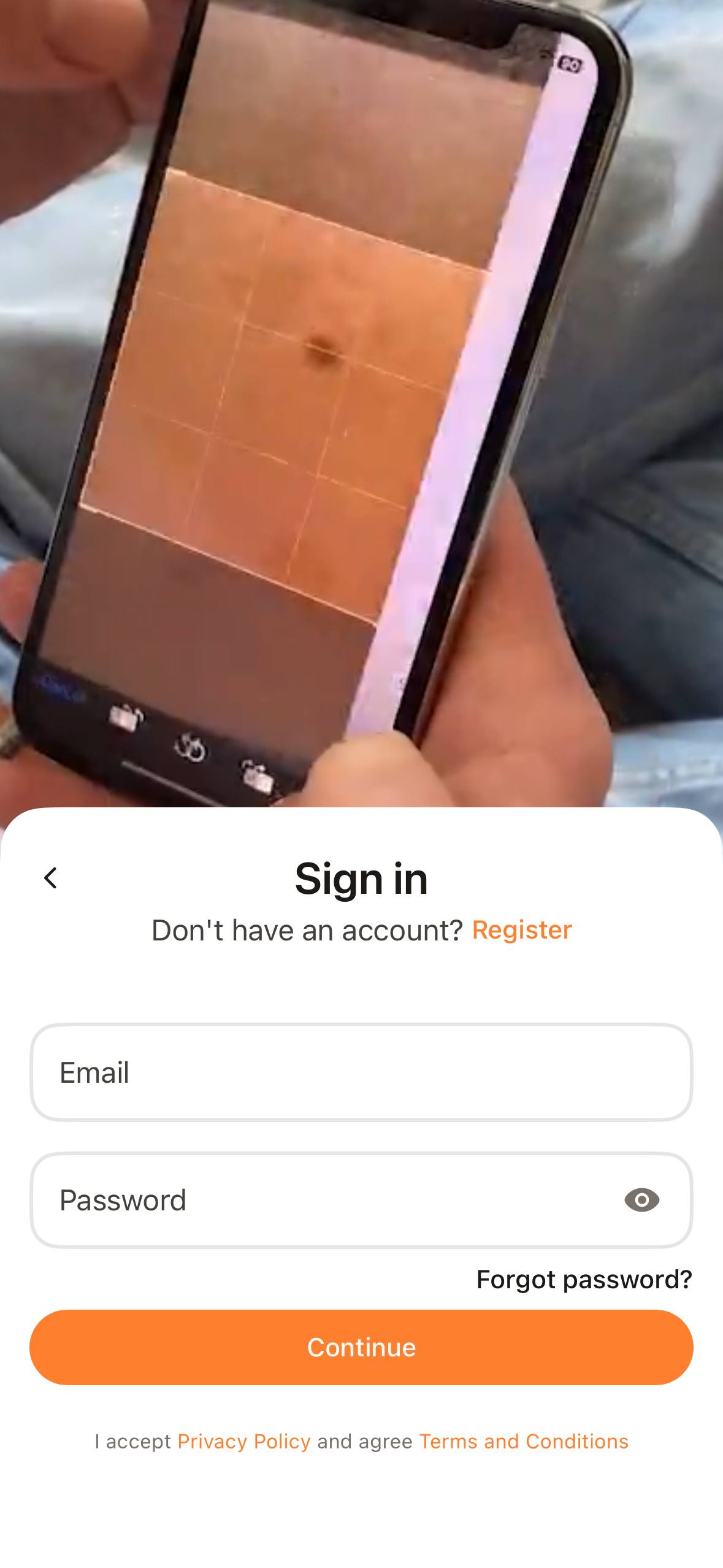
- Registration is required to access application features and securely store assessment history.
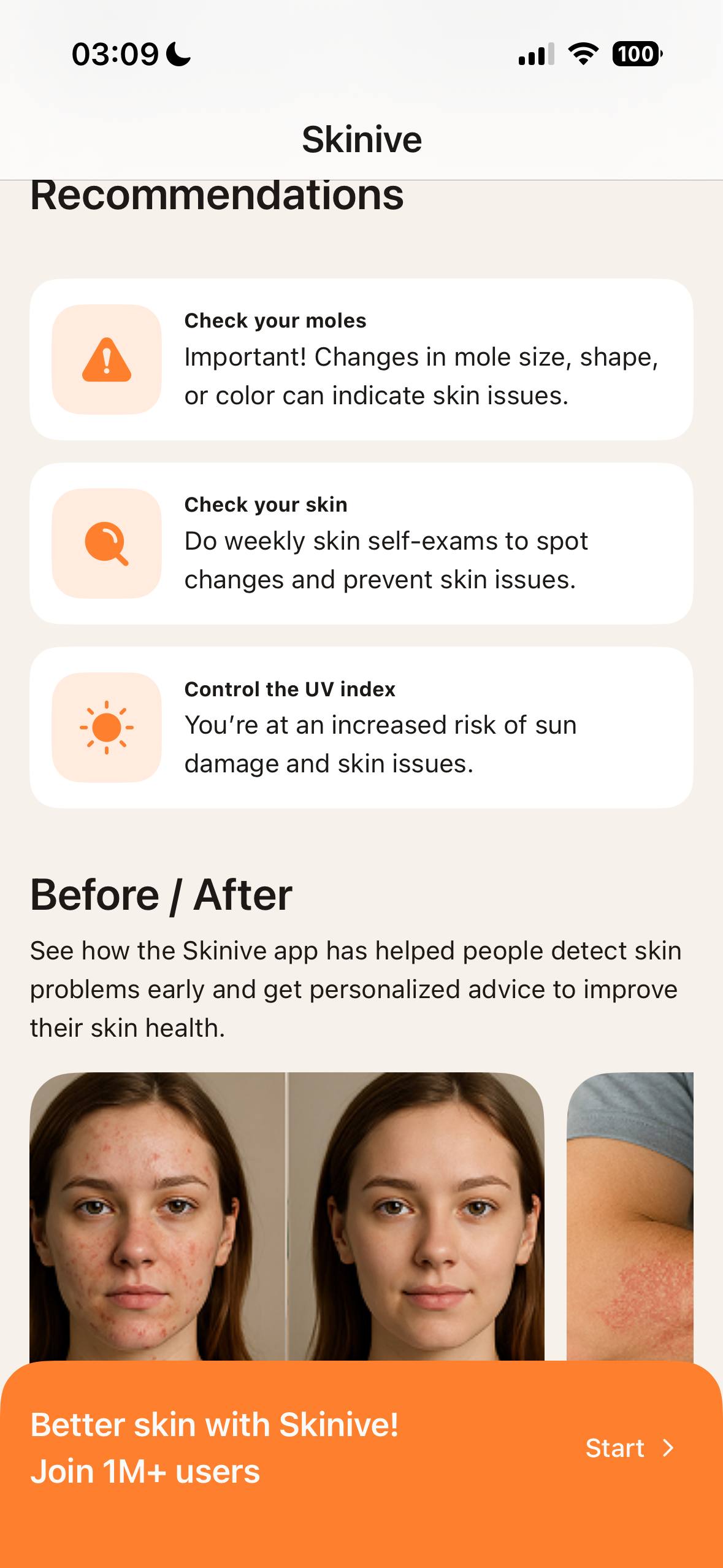
- If you are a new user, register using your email or social network account. Accept Terms & Conditions and Privacy Policy before proceeding. (Fig. 1)
- Verify your email by entering the verification code sent to your inbox. (Fig. 2)
- You can reset your password and recover access to your account (Fig. 3).
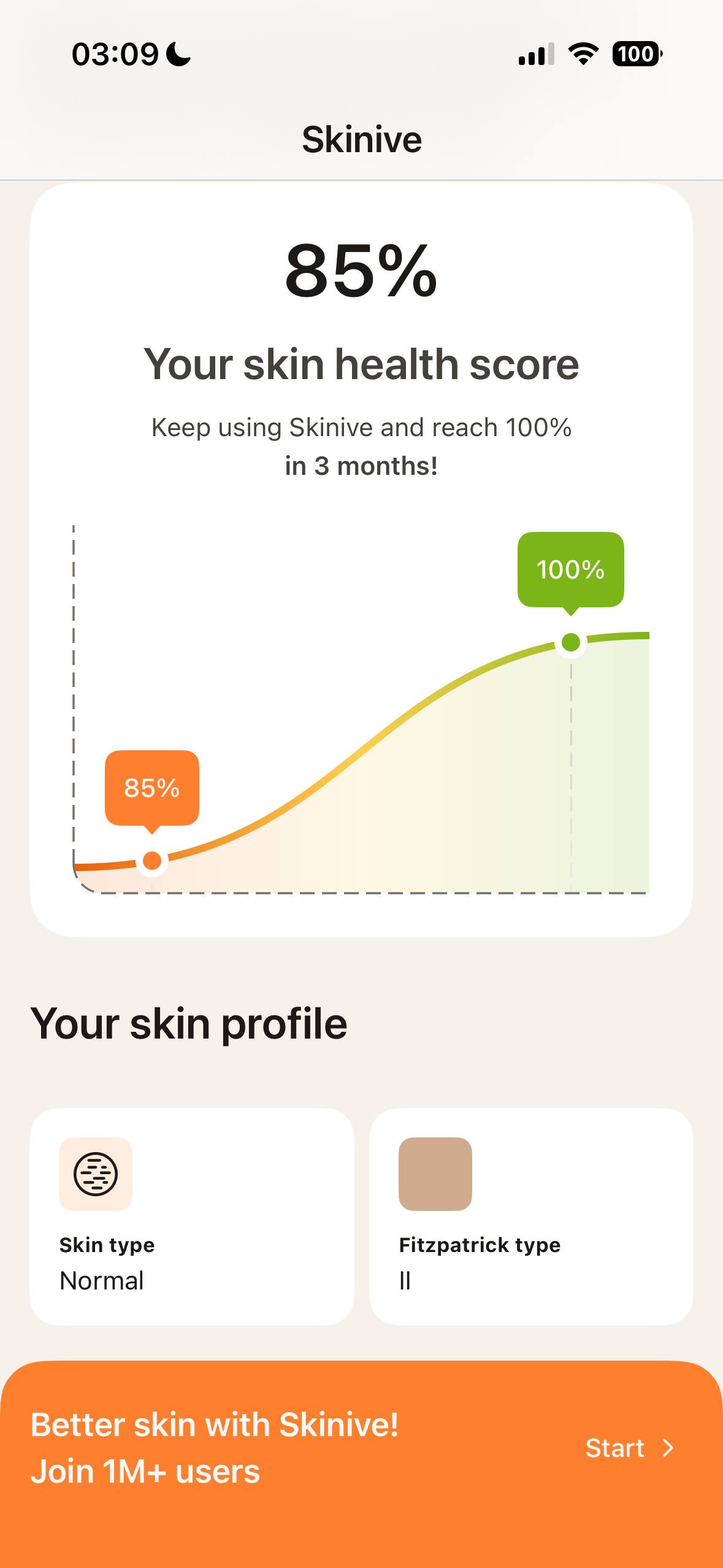
3. Profile Setup (Fig 4):
 |  |
| Fig 4. | Fig 5. |
- Provide the requested profile information (e.g., gender, age, skin type) to personalise the application experience and support certain application functions.
After profile setup or logging in to the Skinive app, you can see the Skinive home screen (Fig. 5). On this screen you can see the total number of skin checks and your karma level (at the top of the screen), the list of your latest skin checks (center of the screen), and the Application Menu (at the bottom of the screen).
4.2 Taking Skin images and Evaluation
Selecting the Area of Interest
To start a new skin assessment, tap the Skinive icon from the application menu.
Before taking a photograph, review the image acquisition recommendations displayed within the application.
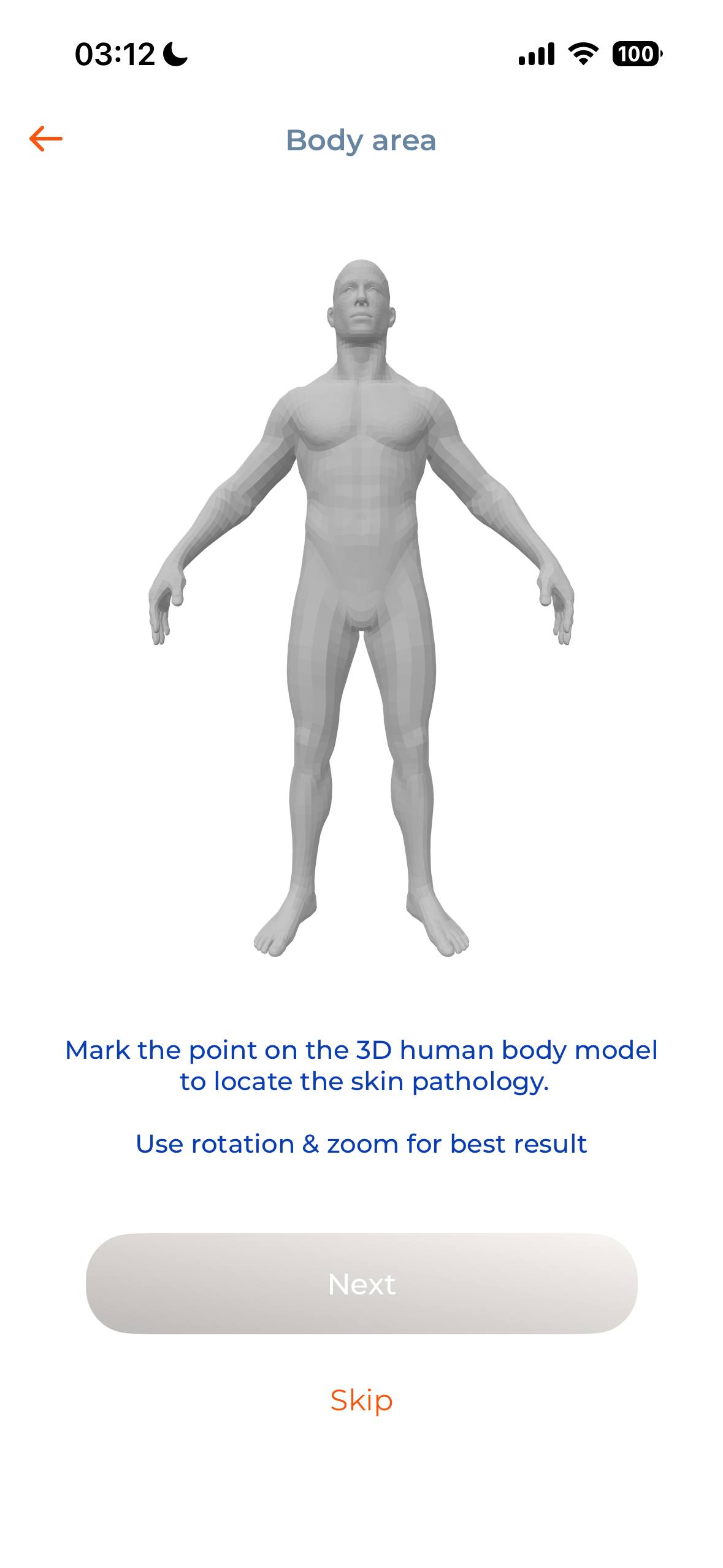
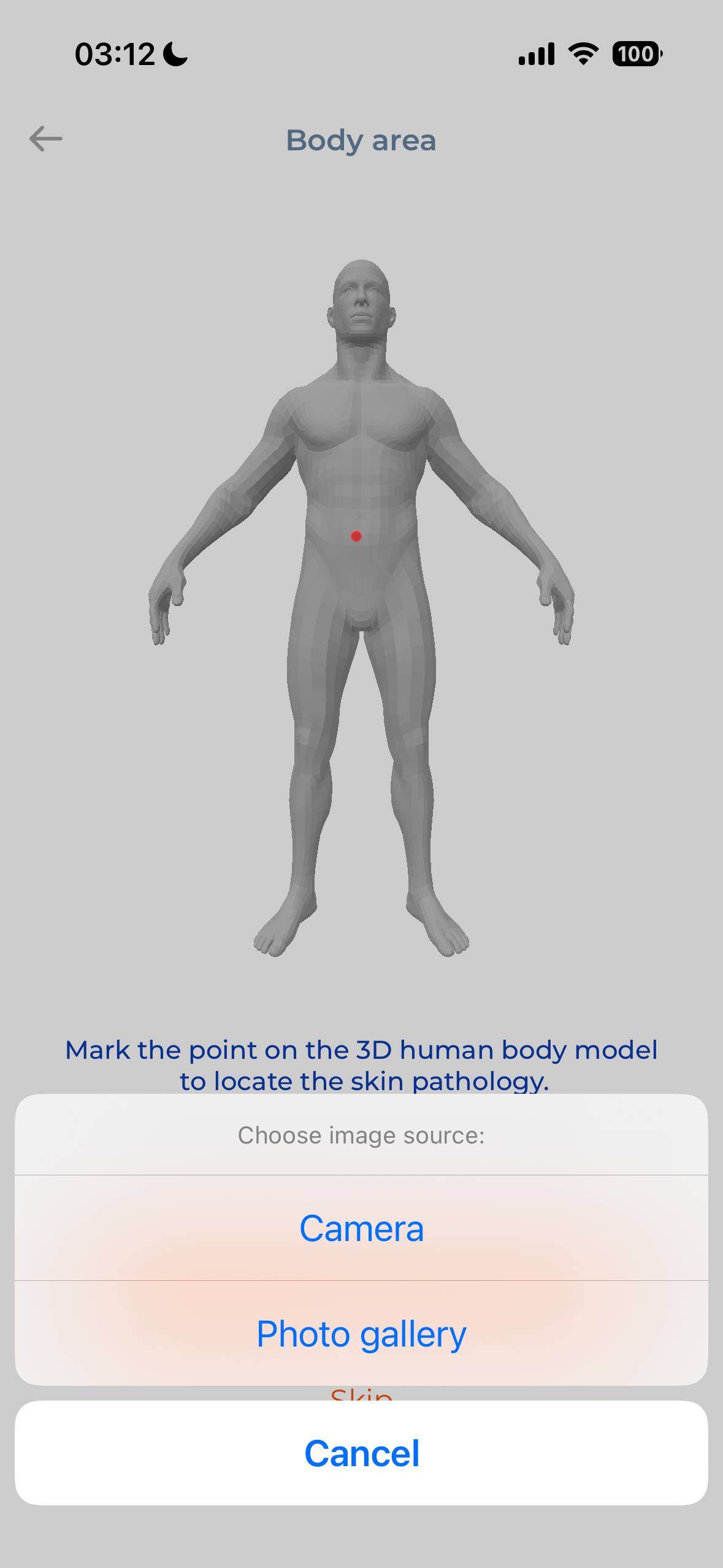
A three-dimensional body model will be displayed (Fig. 6). Select the anatomical location corresponding to the skin lesion you wish to assess. The body model can be rotated and zoomed to facilitate selection.
You may either: capture a new image using your smartphone camera; or select an existing image from your device photo library. Images should be recent and accurately represent the current appearance of the skin lesion being assessed.
 |  |
| Fig. 6 | Fig. 7 |
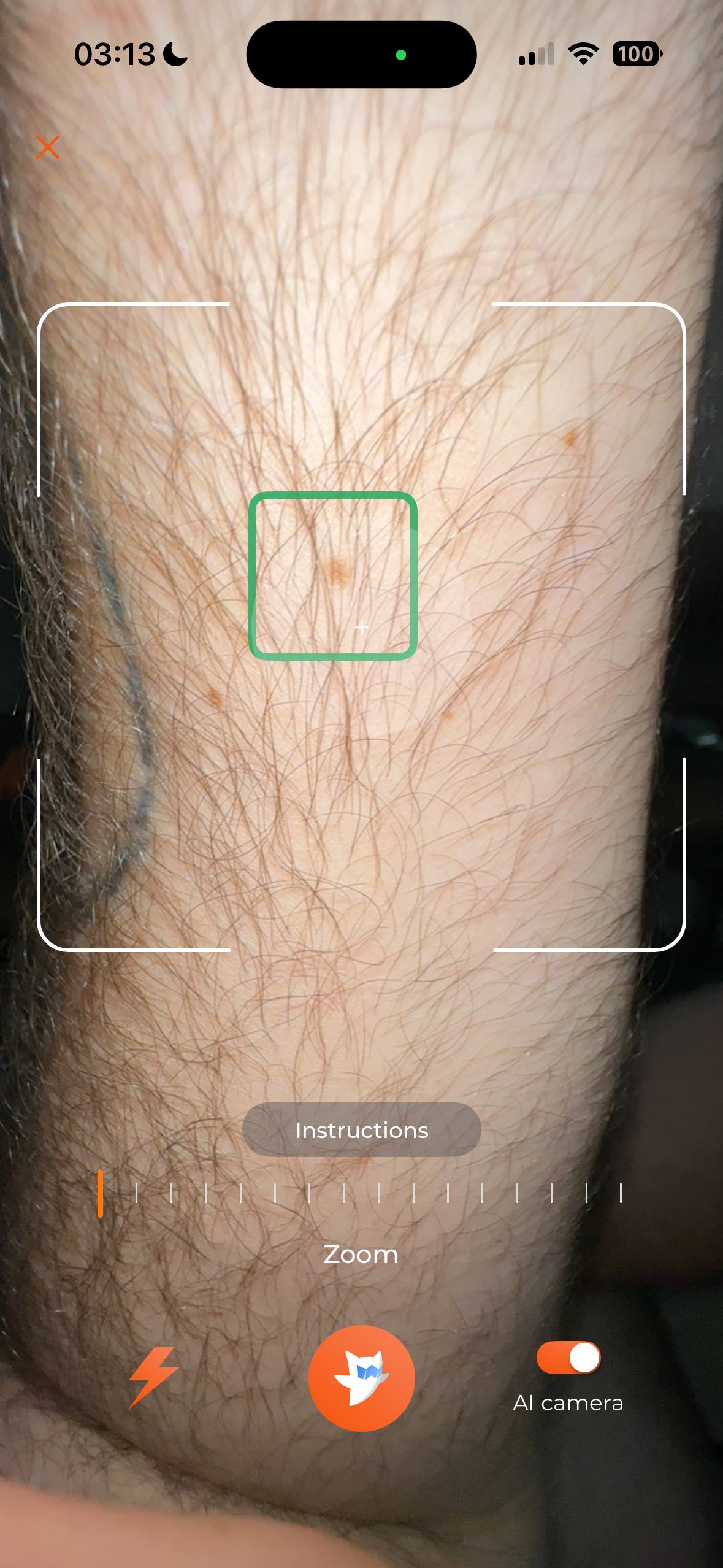
Capturing an Image (Fig. 8)
Position the skin lesion in the centre of the camera viewfinder.
For optimal image quality:
- ensure the skin lesion is clearly visible;
- avoid shadows, reflections, or poor lighting;
- minimise obstruction by hair or other objects;
- keep the camera steady while capturing the image.
When photographing nails, remove nail polish or other cosmetic coatings before taking the photograph.
Where available, use the camera assistance features provided by the application, including image quality guidance, zoom, autofocus, or flash, when appropriate.
 |
| Fig. 8 |
Image Quality Verification
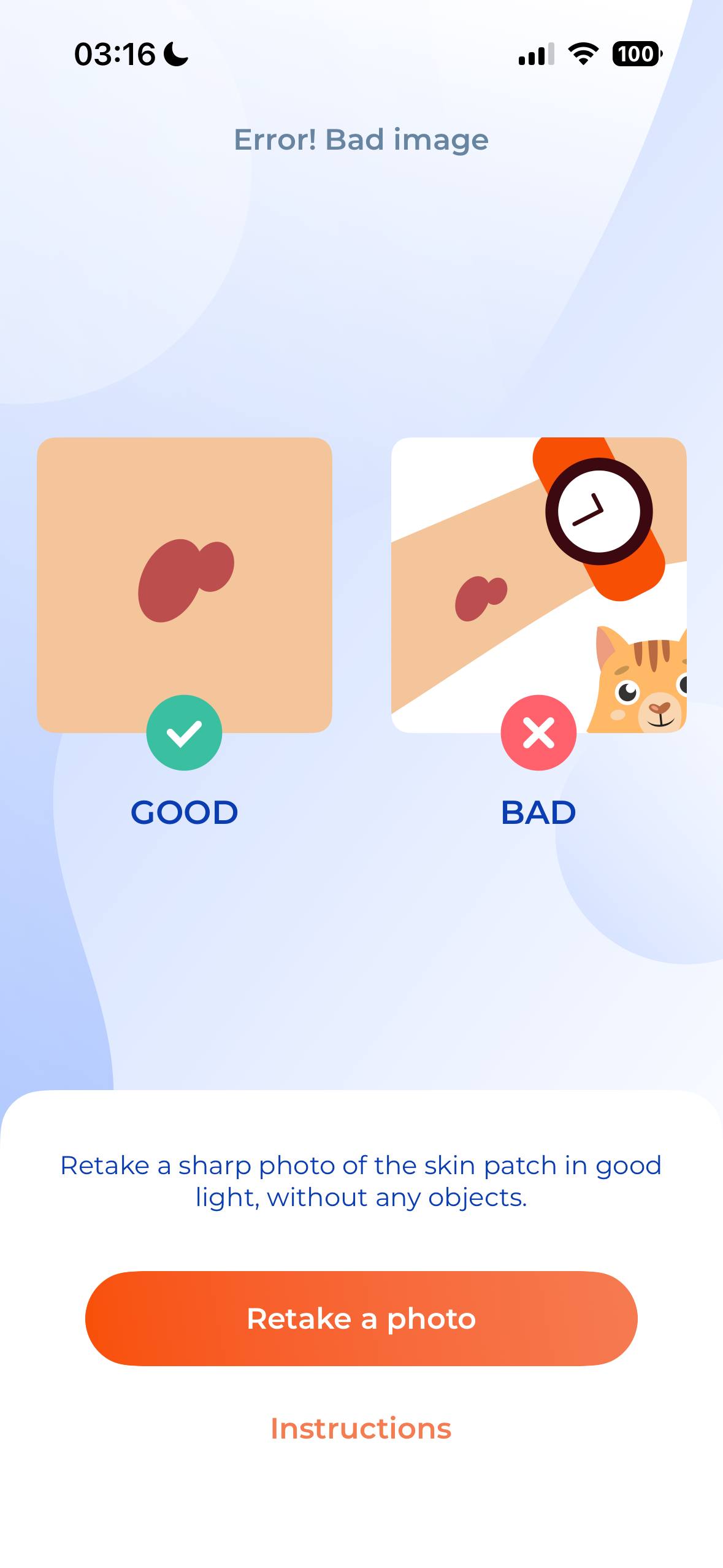
After an image has been captured, the application automatically evaluates whether the image quality is sufficient for analysis.
If the image quality is insufficient, the application will request that a new image be captured (Fig. 9).
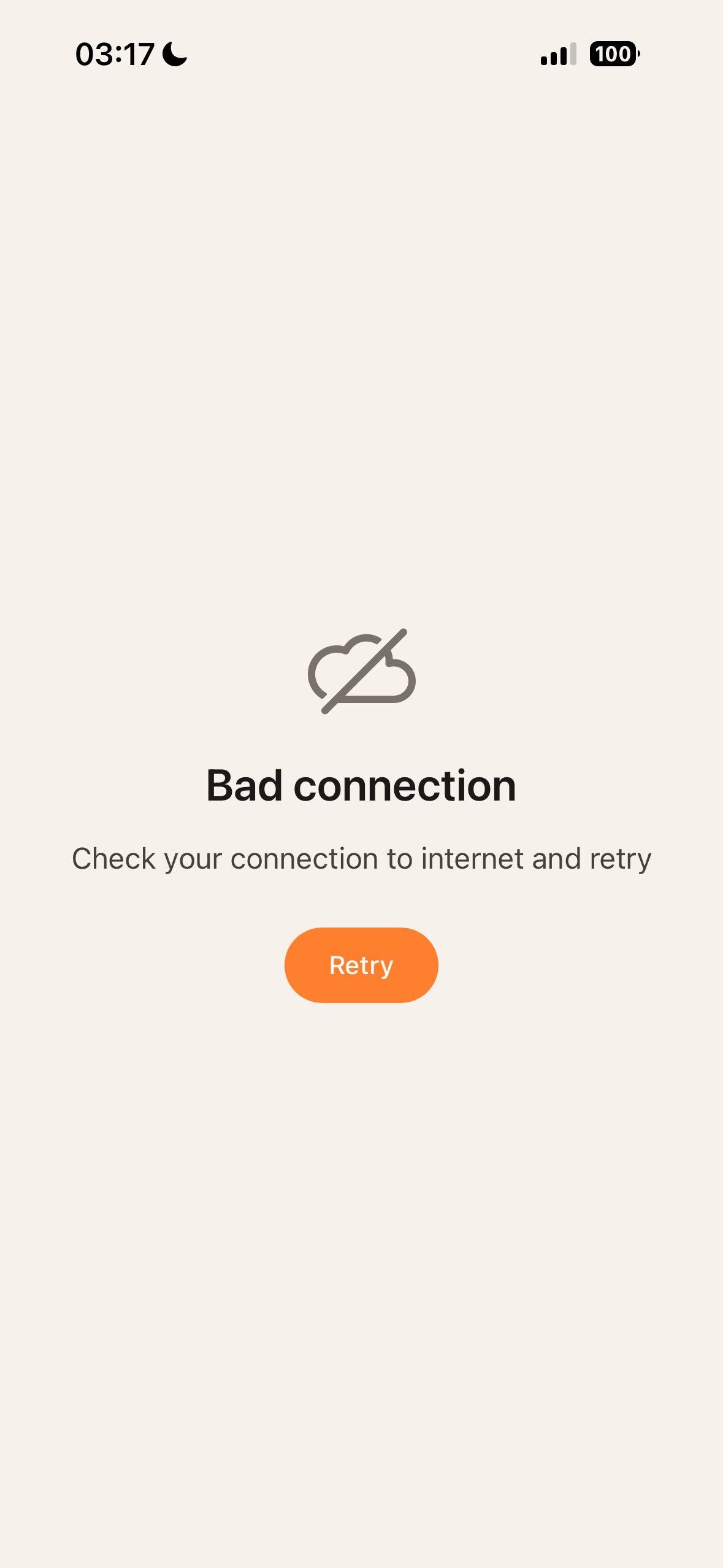
If network communication is unavailable, image analysis cannot be completed until the connection has been restored (Fig. 10).
 |  |
| Fig. 9 | Fig. 10 |
Image Analysis
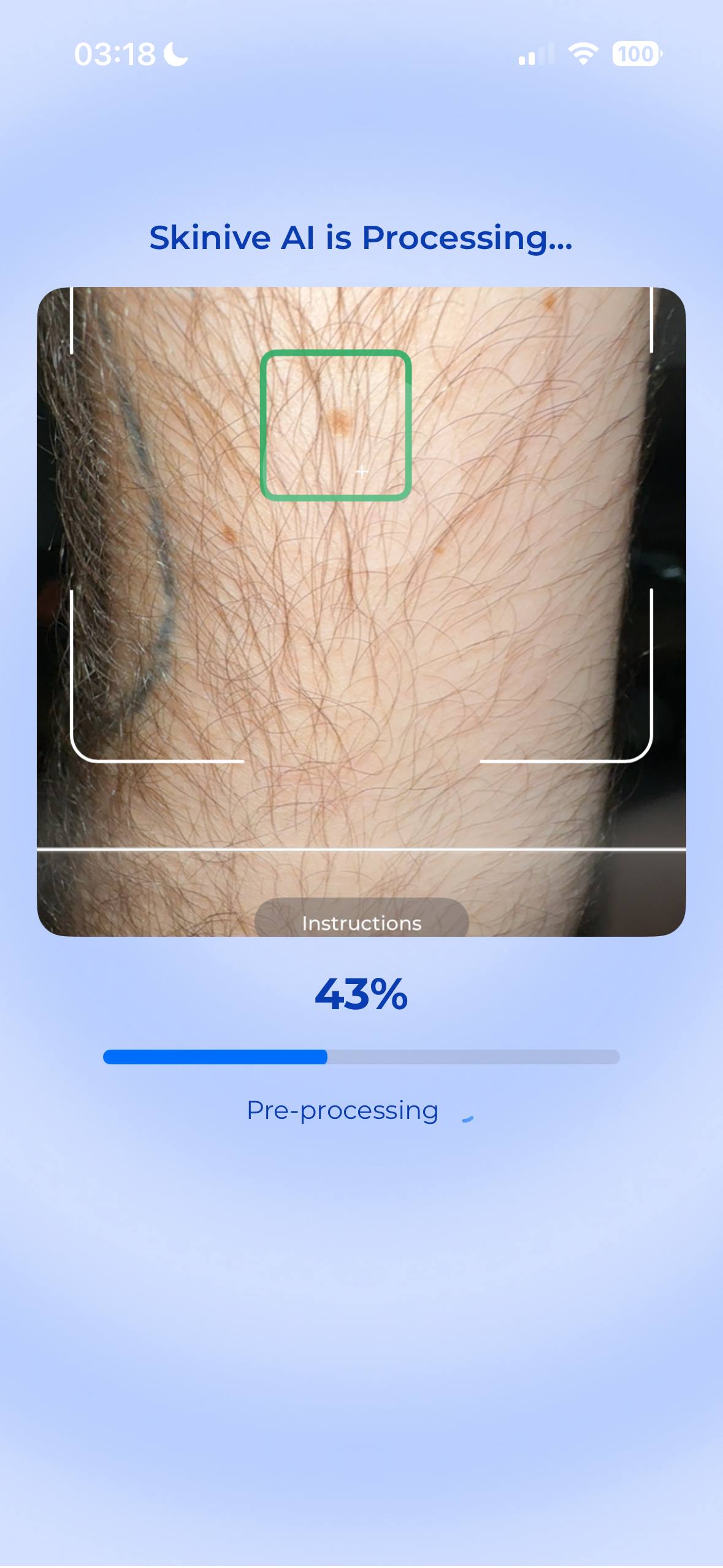
If the image meets the quality requirements, it is securely transmitted for analysis.
The application analyses the image using artificial intelligence algorithms and presents informational results based on visual characteristics identified in the image.
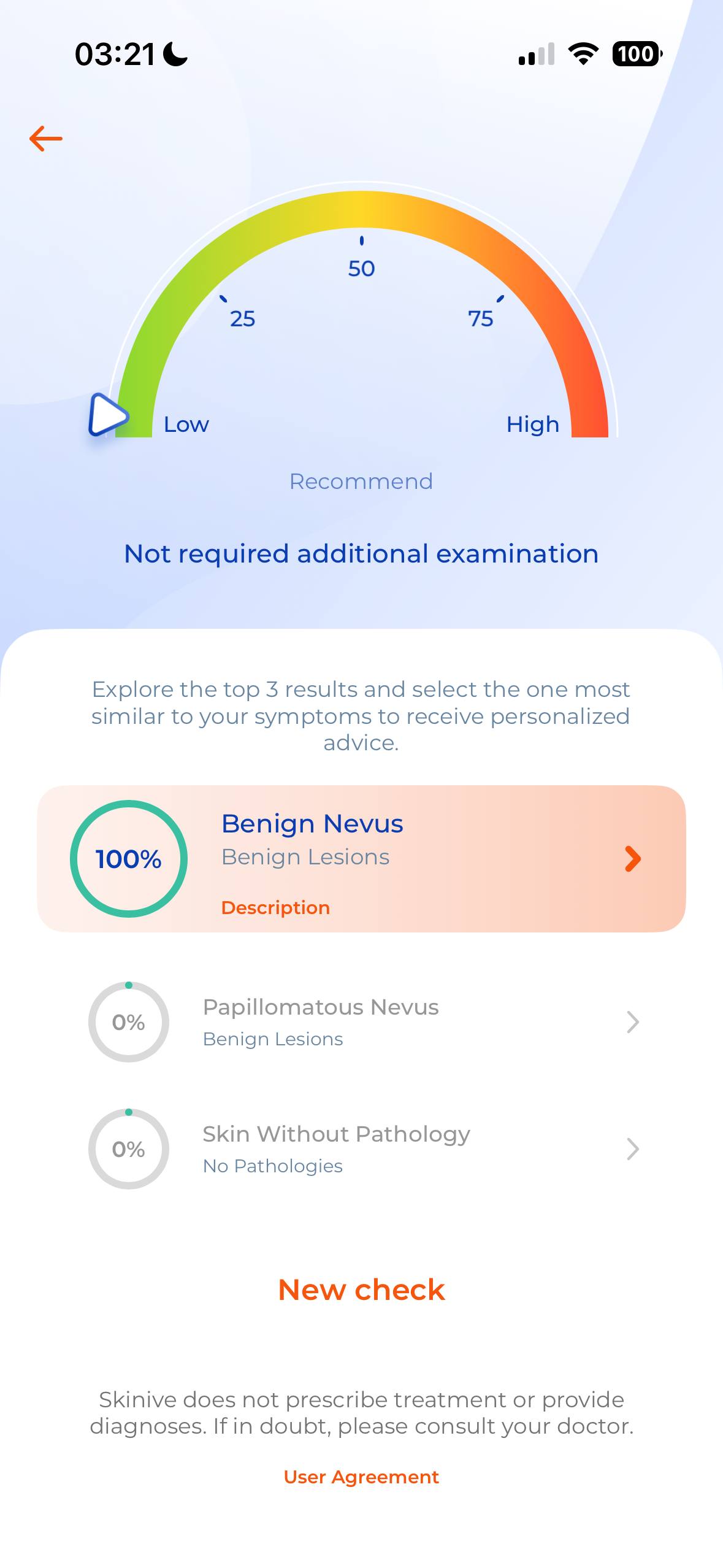
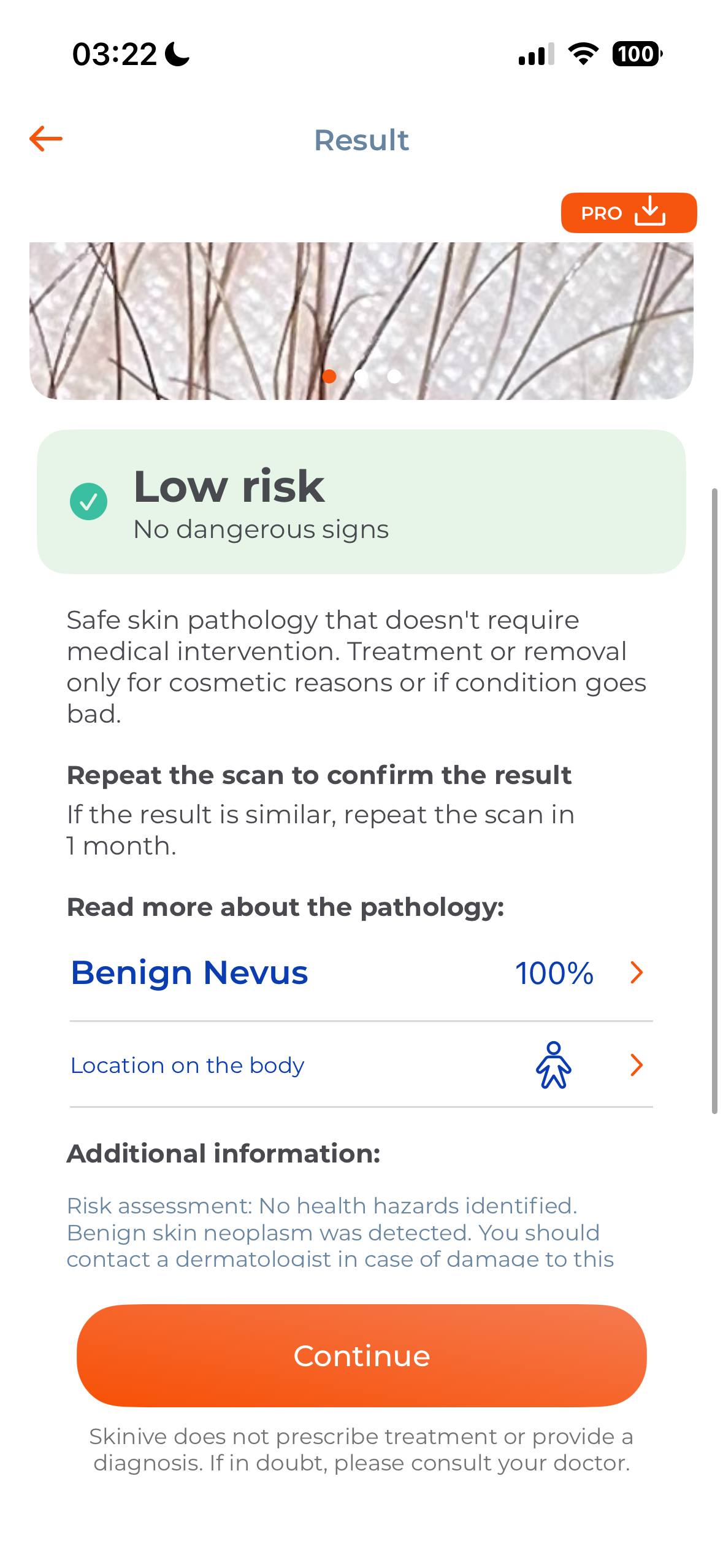
The assessment result may include:
- an estimated risk level, where applicable;
- visually similar supported skin conditions;
- additional educational information and recommendations.
The assessment result is intended for informational purposes only and must not be interpreted as a medical diagnosis.
(Fig. 11–13)
 |  |  |
| Fig. 11 | Fig.12 | Fig. 13 |
Saving Assessment Results
After the assessment has been completed, the result can be saved within the user account for future reference and longitudinal monitoring.
Saved assessments can be viewed from the application history and deleted by the user at any time.
4.3 UV Index and UV Exposure Tools
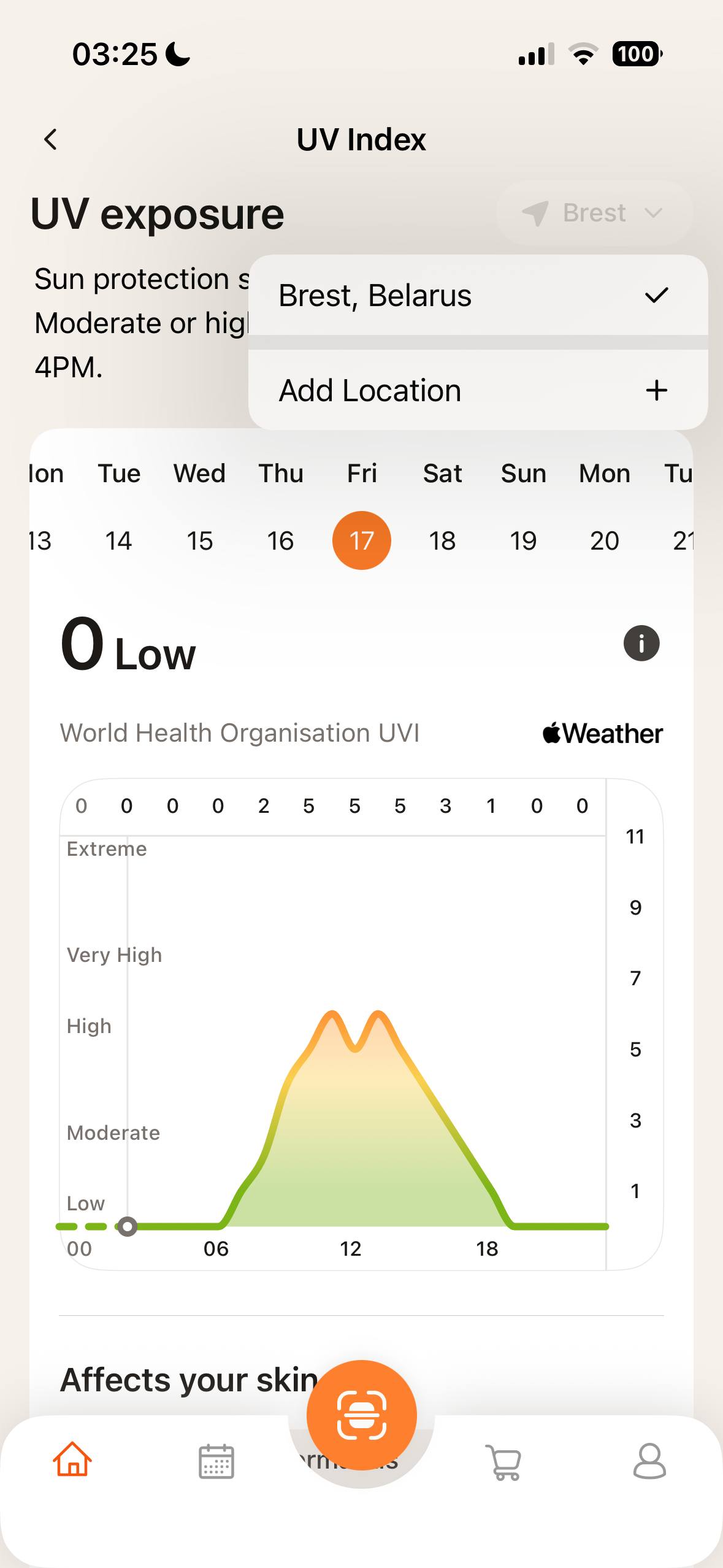
The UV module provides information about the current UV Index for the selected location and offers tools to support safe sun exposure and skin health awareness.
The UV Index screen displays:
- the current UV Index and daily forecast for the selected location;
- the WHO UV Index scale;
- general educational information related to UV exposure;
- the UV Exposure Timer;
- the selected skin phototype.
Users may select a different location to view local UV conditions.
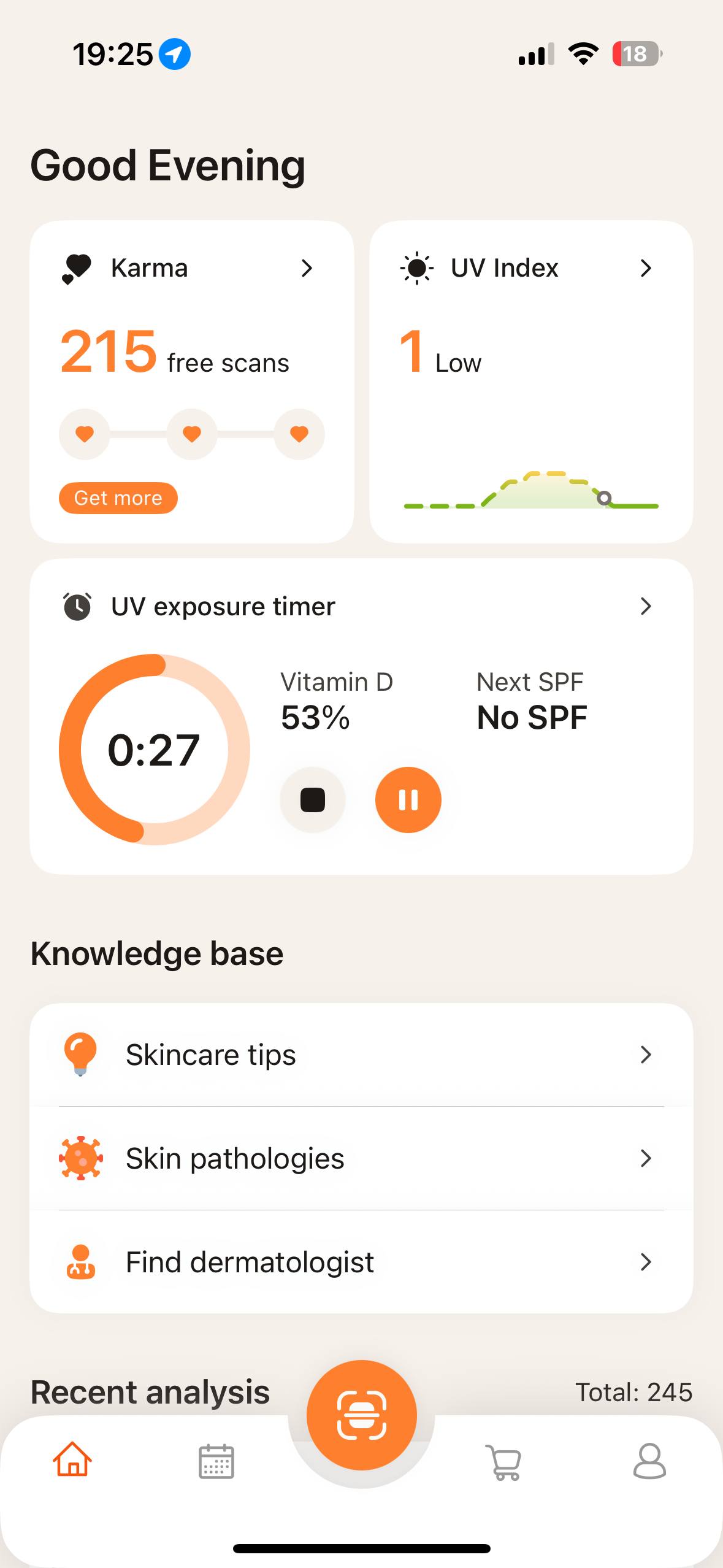
The UV Exposure Timer estimates the approximate duration of sun exposure before sunburn may occur based on:
- the current UV Index;
- the selected location;
- the selected Fitzpatrick skin phototype;
- sunscreen (SPF) selection, where applicable.
The timer may also display an estimate of the time required to achieve recommended daily Vitamin D exposure.
Users may select their Fitzpatrick skin phototype (Types I–VI). The selected phototype is used when calculating UV exposure estimates.
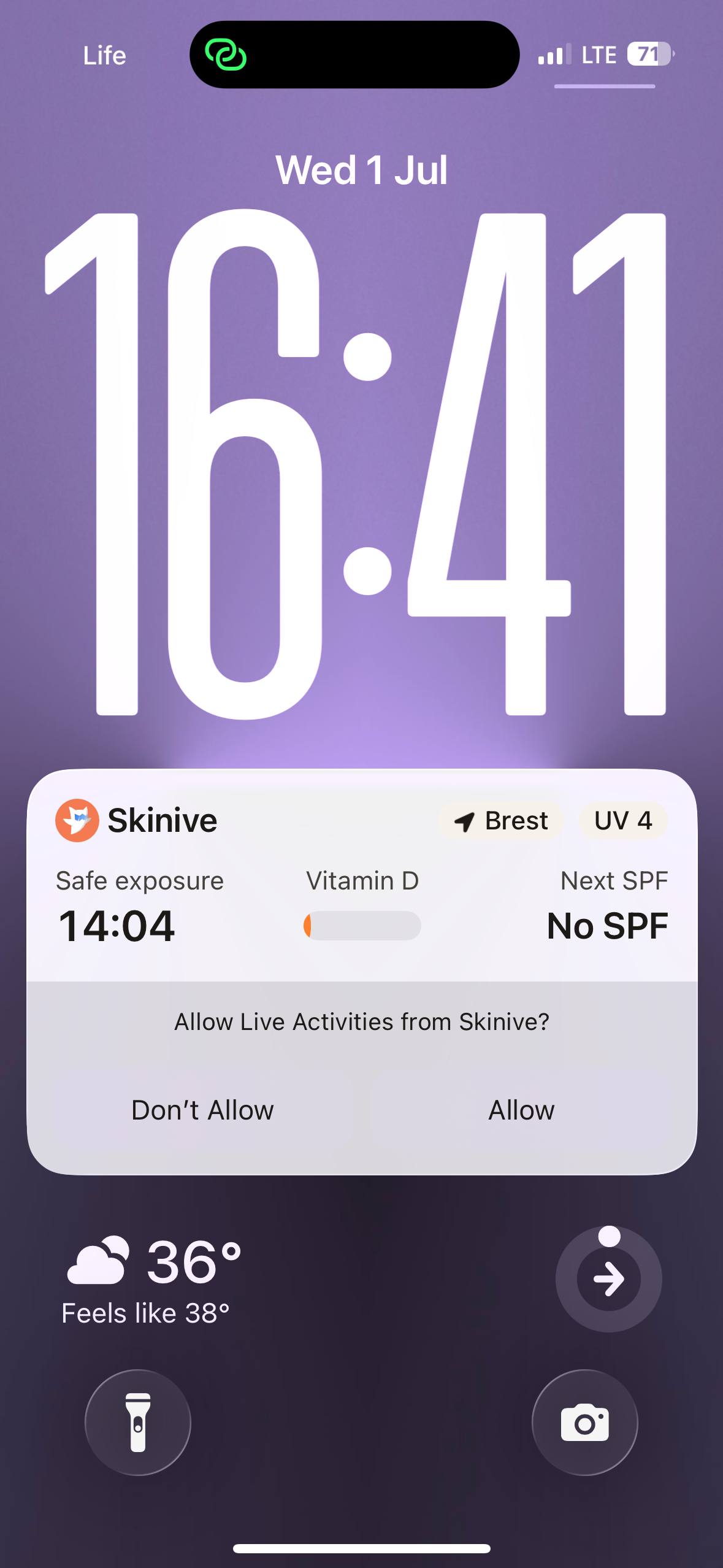
Where supported by the operating system, UV widgets and the UV Exposure Timer may be added to the device Home Screen or displayed using supported system features.
(Fig. 14-16)
 |  |  |
| Fig. 14 | Fig. 15 | Fig. 16 |
IMPORTANT: UV exposure estimates are provided for informational purposes only. Actual skin response to ultraviolet radiation varies between individuals and may be influenced by factors not considered by the application.
5. SAFETY WARNINGS & RISK MANAGEMENT
5.1 General Warnings
⚠️ WARNING: Skinive App is intended to support the documentation and monitoring of visible skin lesions. It does not provide a medical diagnosis and must not replace professional medical evaluation.
⚠️ WARNING: Always consult a qualified healthcare professional if a skin lesion is new, rapidly changing, painful, bleeding, ulcerated, or otherwise appears clinically concerning.
⚠️ WARNING: Do not delay seeking medical advice solely because of the application result.
⚠️ WARNING: The application should not be used in emergency situations or where immediate medical attention is required.
⚠️ WARNING: Assessment results may be affected by image quality, lighting conditions, partial visibility of the skin lesion, or other environmental and technical factors.
⚠️ WARNING: UV exposure estimates are approximate and should not be interpreted as a guarantee that sunburn will or will not occur.
5.2 Risk Management (ISO 14971)
Risk Factors:
- Poor image quality (low light, blurry images) may affect analysis.
- Network failures may prevent image upload or analysis.
- Users may misinterpret results without professional guidance.
- The app should not be used by children without adult supervision.
Mitigation:
- Users receive real-time on-screen alerts in case of poor image quality.
- Clear instructions on recognising critical skin conditions that require immediate medical attention are provided within the app. Critical skin conditions include rapidly changing lesions, asymmetry, irregular borders, pain or bleeding. Seek immediate medical attention if these are observed.
- If an error occurs, users are advised to retake the test in 24 hours to allow for changes in lighting or skin condition that may improve image quality, or consult a healthcare professional.
6. Premium Features
Some application features may require an active Premium subscription.
Subscription purchase, billing, renewal, cancellation, and refund requests are managed by the Apple App Store or Google Play Store, as applicable, and are subject to the terms and conditions of the respective platform.
Premium feature availability depends on the user’s current subscription status.
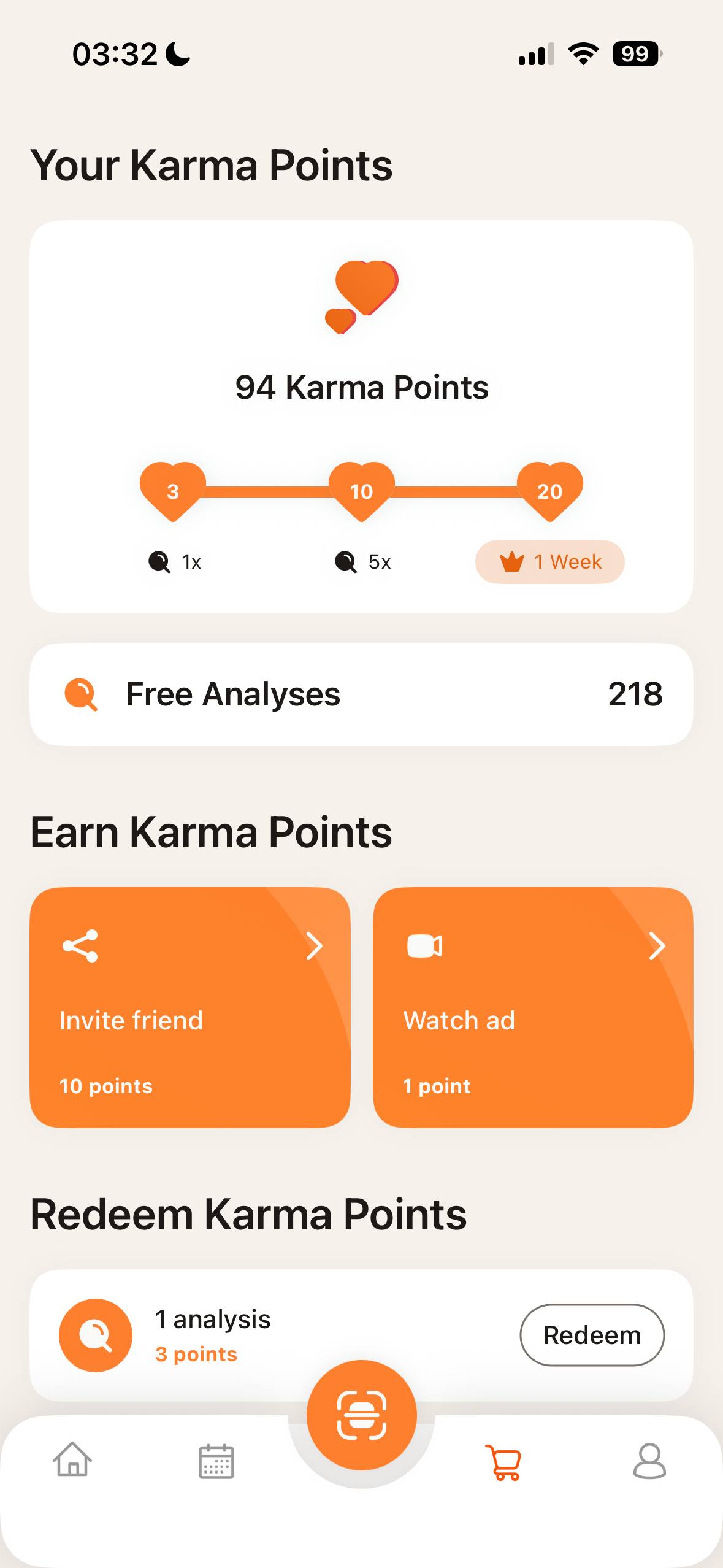
7. Karma Points and Rewards
Skinive App may include a Karma Points reward system.
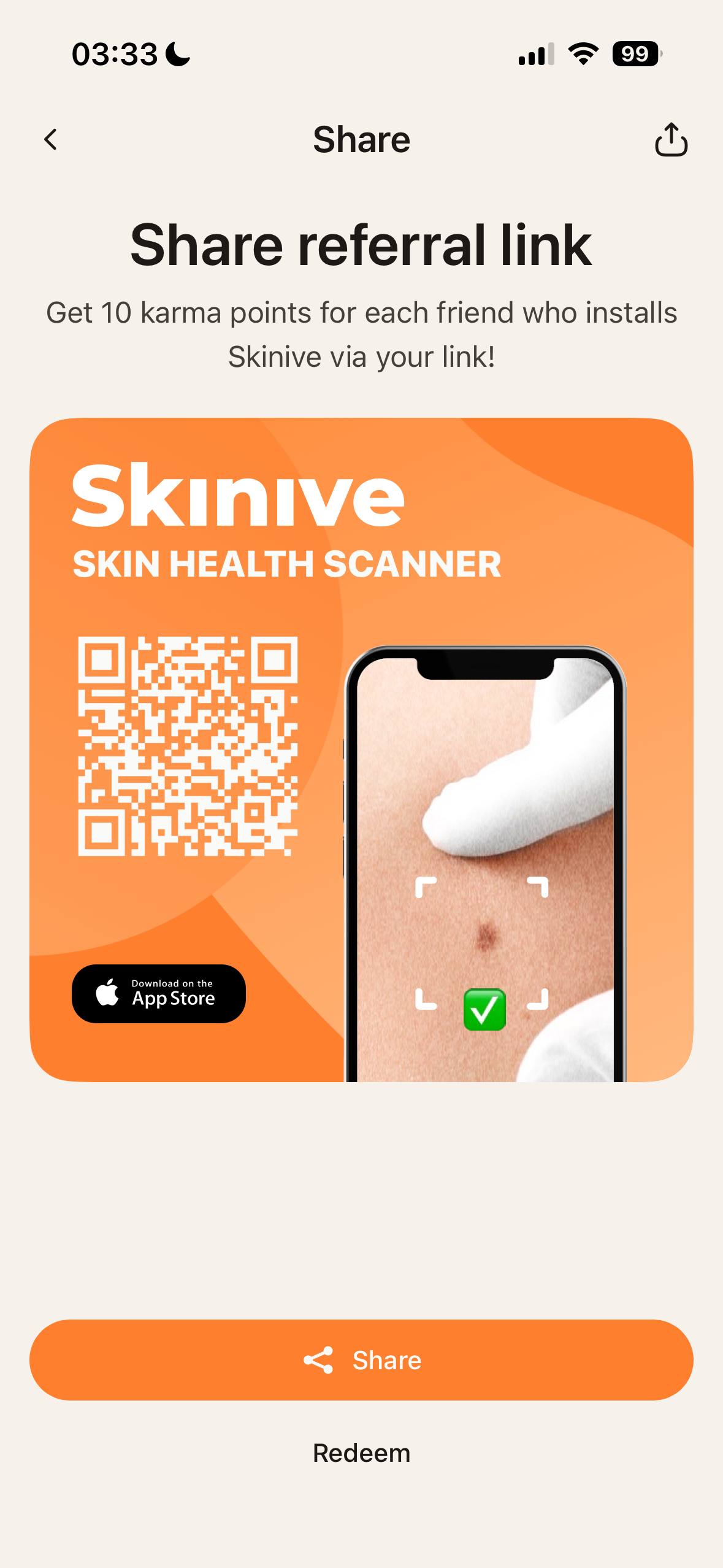
Users may earn Karma Points by completing eligible in-app actions, such as inviting new users through a referral link or viewing rewarded advertisements, where available.
Karma Points may be redeemed for certain in-app benefits, such as additional skin assessments or temporary access to Premium features.
The availability of Karma Points, reward options, daily limits, referral conditions, and redemption rules may vary and are displayed within the application.
Karma Points have no cash value and cannot be exchanged for money.
(Fig. 17-18)
 |  |
| Fig. 17 | Fig. 18 |
Rewarded advertisements and referral sharing are optional and are not required for the safe use of the medical device functions of the application.
8. POST-MARKET SURVEILLANCE (PMS) & INCIDENT REPORTING
PMS Plan:
- Updates may be released approximately once a month.
- User complaints and feedback can be submitted via support@skinive.pro.
- Error data is analysed for continuous improvement.
- Users will be notified of updates and bug fixes via email or push notifications.
- Users will be notified via email or in-app alerts when the support period nears its end or if updates are required to maintain functionality.
How to report an incident:
- Contact Skinive LTD (Email: support@skinive.pro)
- Report to the local Competent Authority (Ministry of Health or notified body).
Notification Period for Serious Incidents:
- Serious adverse events must be reported within 10 days.
- For minor issues (e.g., app crashes), report to support@skinive.pro for assistance.
9. WARRANTY, LIABILITY & LEGAL NOTICES
Manufacturer Contact Information:
Skinive LTD.
BusinessLabs Services Office Centre Level 1,Dun Karm Street, B’Kara Bypass, BKR 9037, Birkirkara, Malta
Tel.: +356 999 32 981
Email: contact us
Complies with the requirements of ISO 14971.
For warranty terms and legal disclaimers, visit www.skinive.pro.
⚠️ The application is intended to support, but not replace, professional medical assessment. Medical decisions should always be made by qualified healthcare professionals based on the complete clinical picture.